
During the login process, guests may have to complete a micro inquiry before gaining access to the WiFi. This inquiry will give the service provider and/or venue owner access to user information to engage them with relevant offers and directed advertisements.
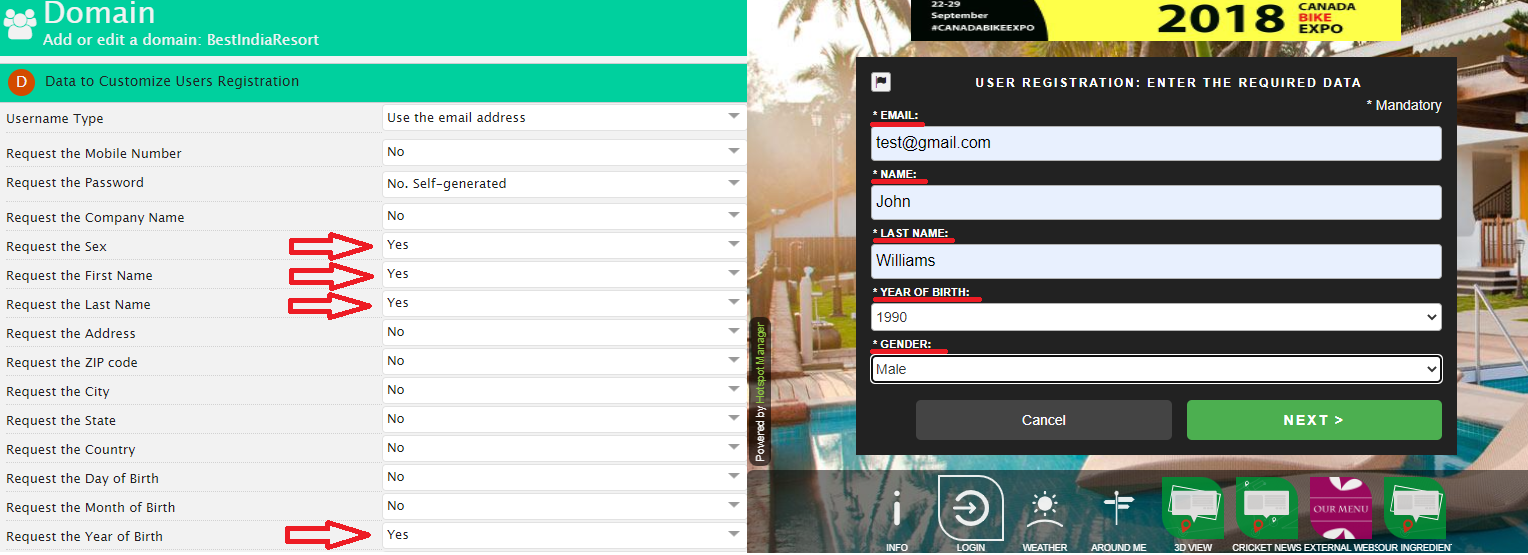
Wi5stars not only enables you to define how to authenticate users but also allows you to customize user registration.
To define how to authenticate users, follow these steps:
To customize users registration, follow these steps:
Through micro inquiry, you can collect relevant information about your users and form a valuable database for your business, in total security and fully compliant with GDPR.
After you gradually begin to collect users and data, you can decide to send targeted advertising campaigns or export users based on the information you gather and use them to send emails, special offers and dedicated promos.
To export the users’ registration data, follow these steps:
Filters are defined by “Roles” and “Groups”, where the formers are the set of fields, conditions and values attributed to a “Group”. Each “Role” and “Group” is related to “AND” or “OR” to suit your needs through the proper switch located over each “Group”.
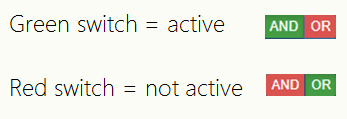
“Sex” must be Male “AND” (highlighted in green) the “Year of Birth” must be greater or equal 1990 “OR” (highlighted in green) between 1985 and 1989.
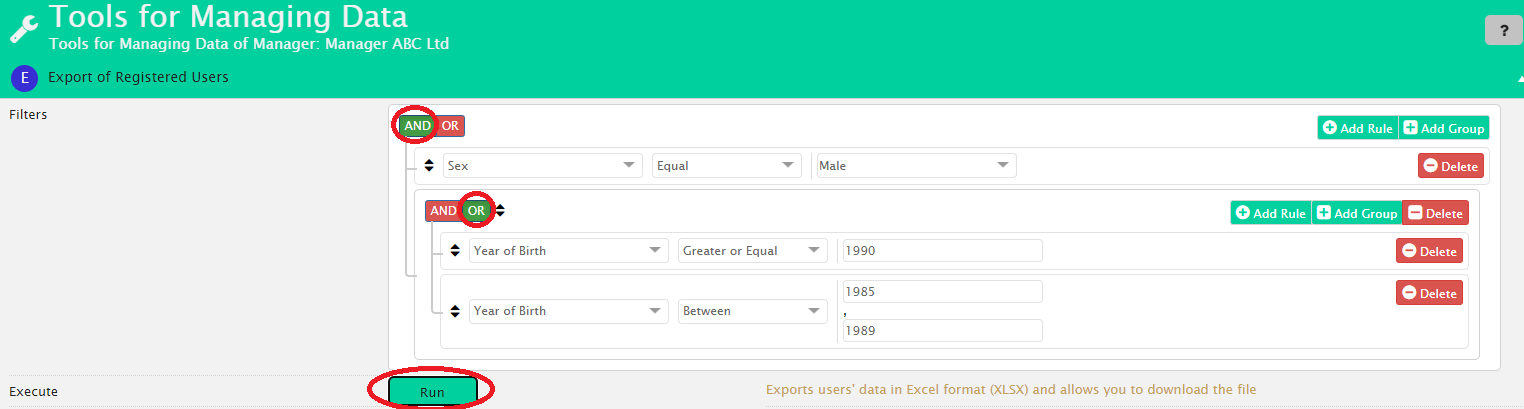
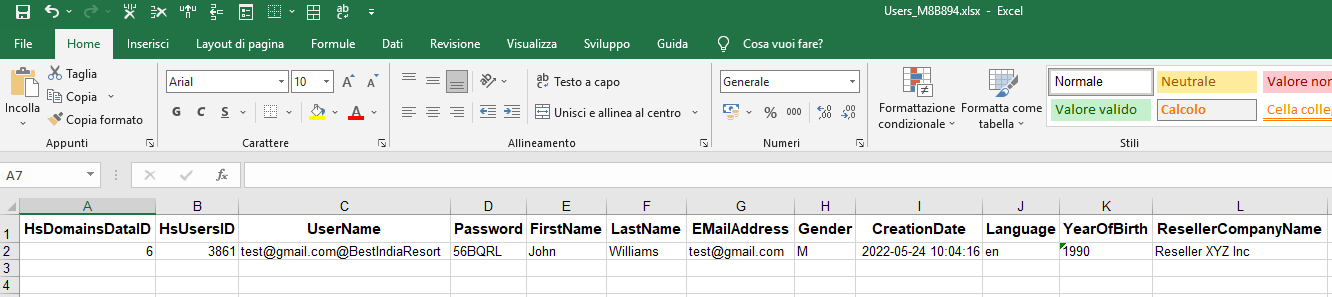
Once you have created your filter, you can click the Run button to download the Excel file with all the users that reflect the parameters you set.
Wi5stars allows you to synchronize your contacts directly with MailChimp, the powerful campaign automation and email marketing platform. To find out how to set up this feature in your platform, please click here.